
BeeTV Roku TV Guide 2026: Installation Options, Limitations & Alternatives
BeeTV on Roku TV is a common search among users who want to enjoy streaming content on a bigger screen. Many Roku owners want to know whether they can install BeeTV directly, use available connection methods, or find similar streaming options for their television.
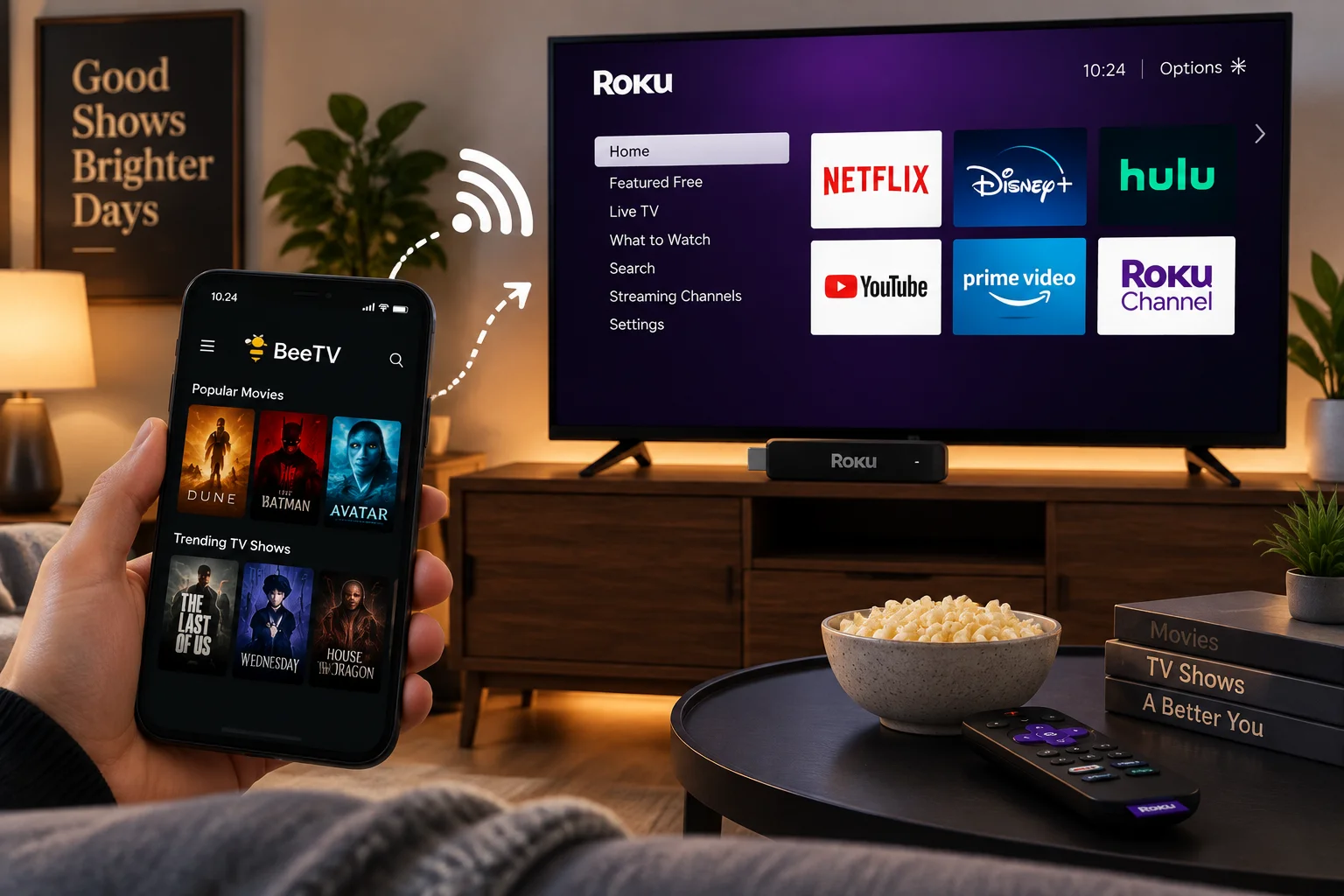
Roku works differently from Android Based Devices because it uses its own operating system and official channel system. This means users need to understand compatibility, available options, and limitations before trying to use third-party applications.
This guide explains how Roku TV apps work, whether BeeTV is supported, possible viewing methods, and alternatives available for Roku users.
- How Roku TV Apps Work
- Is BeeTV Available on Roku TV?
- Can You Watch BeeTV Content on Roku?
- Using Screen Mirroring With Roku
- Why Some Apps Are Missing on Roku
- Can You Install BeeTV Directly on Roku TV?
- How to Improve Roku Streaming Performance
- BeeTV Alternatives for Roku Users
- Can You Use Similar Apps on Smart TVs?
- Frequently Asked Questions
- Final Thoughts
- BeeTV Related Guides
How Roku TV Apps Work
Roku devices work differently from Android TV boxes and smart TVs that allow users to install applications from external sources.
Roku uses its own official channel marketplace where users can search, download, and manage supported applications.
Every channel available through Roku must meet Roku platform requirements before becoming available to users.
This is why some streaming applications that work on Android devices may not appear on Roku devices.
The difference between Roku and Android-based devices is mainly related to:
- Operating system
- App compatibility
- Installation methods
- Platform restrictions
Is BeeTV Available on Roku TV?
BeeTV on Roku TV does not work like Android-based devices.
Currently, BeeTV is not available as an official Roku Channel Store application. If you search for BeeTV directly on your Roku device, you will not find a standard installation option.
This does not mean there is a problem with your Roku TV. It simply means the application does not have a dedicated Roku version.
Roku only supports Applications designed specifically for its platform.
Users who want a device with more flexible installation options can explore other compatible devices that support different application formats.
Can You Watch BeeTV Content on Roku?
Although direct installation is not available, some users explore other ways to display content on their Roku TV.
One common option is connecting another compatible device and using screen-sharing features.
In this setup:
- The application runs on another device
- Roku acts as the display screen
- Content appears through a wireless connection
This method depends on:
- Device compatibility
- Network connection
- Screen-sharing support
Performance may vary depending on your phone, computer, and WiFi quality.
Using Screen Mirroring With Roku
Screen mirroring is one way users connect compatible devices with Roku.
Before starting, check that:
- Roku TV and your device use the same WiFi network
- Your Roku model supports screen mirroring
- Your smartphone or computer supports casting
Enable Screen Mirroring on Roku
Follow these general steps:
- Open Settings on your Roku device
- Select System
- Choose Screen Mirroring
- Allow compatible devices to connect
The exact menu names may vary depending on your Roku model.
Connect Your Mobile Device
After enabling mirroring:
- Open screen sharing settings on your smartphone or computer
- Select your Roku device
- Accept the connection request if shown
Once connected, your device screen may appear on your television.
The quality of the experience depends on your network speed and device performance.
Why Some Apps Are Missing on Roku
Many beginners expect every streaming application to work on every smart TV platform.
However, each platform has different rules.
Android devices often provide more flexibility because users can install applications from different sources.
Roku focuses on controlled access through its official channel system.
This approach helps Roku maintain:
- Platform security
- Consistent performance
- Better user management
However, it also means some third-party applications may not be available.
Can You Install BeeTV Directly on Roku TV?
Currently, there is no official method to install BeeTV directly on Roku TV.
Be careful with websites or videos that claim to provide special Roku installation files.
Roku applications cannot usually be installed in the same way as Android APK files.
APK files are designed for Android devices, while Roku uses its own application system.
Before using any third-party service:
- Check the source
- Avoid suspicious download pages
- Do not share personal information
- Be careful with unknown instructions
How to Improve Roku Streaming Performance
If you are connecting another device with your Roku TV, performance depends on several factors.
Use a Stable Internet Connection
A strong WiFi connection can help reduce buffering and improve streaming quality.
Tips:
- Keep your router in a good location
- Avoid network congestion
- Use a stable connection
Keep Roku Updated
Software updates can improve:
- Performance
- Security
- Compatibility
Check Roku settings regularly to make sure your device is updated.
Use Modern Devices
Older phones and computers may provide slower screen-sharing performance.
Newer devices usually offer:
- Better connection stability
- Faster processing
- Improved streaming quality
BeeTV Alternatives for Roku Users
If you want a simple streaming experience, Roku provides many official options through its channel marketplace.
Some categories include:
Free Streaming Channels
Many free Roku channels provide movies, shows, news, and entertainment with advertisements.
Paid Streaming Platforms
Subscription services offer official Roku applications with:
- Regular updates
- Customer support
- Licensed content
Live TV Services
Roku also supports live television services where users can browse available channels and programs.
For most Roku users, official channels provide the easiest and most reliable experience.
Can You Use Similar Apps on Smart TVs?
The availability of streaming applications depends on your television operating system.
Android-based smart TVs often support more flexible installation options.
Roku TVs mainly depend on the official Roku Channel Store.
Other devices may provide different levels of compatibility depending on their operating systems.
Before installing any application, always check whether it supports your specific device.
Frequently Asked Questions
Can you get BeeTV on Roku?
There is no official Roku version of BeeTV available through the Roku Channel Store.
How do I add BeeTV to Roku?
BeeTV cannot be added as a normal Roku channel. Some users explore screen mirroring from another compatible device.
How do I install BeeTV on Roku TV?
Direct installation is not supported because Roku does not provide BeeTV through its official application store.
Can Roku install Android APK files?
No. Roku does not use the Android APK system. APK files are designed for Android devices.
How can I stream content on Roku?
Users can install supported Roku channels or connect compatible devices using available casting features.
Are all streaming apps available on Roku?
No. Application availability depends on platform support, developer compatibility, and Roku approval requirements.
Final Thoughts
BeeTV on Roku TV is a popular search because many users want to enjoy streaming content on a larger screen.
However, Roku works differently from Android-based devices and does not support the same installation methods.
While direct installation is not available, users can explore compatible connection methods such as screen mirroring or choose from the many official streaming options available through Roku.
BeeTV Related Guides
If you want to learn more about BeeTV, these guides can help:
- BeeTV APK Download Guide — Download information, safety, and compatibility tips.
- What Is BeeTV? Complete Beginner Guide — Understand what BeeTV is and how it works.
- How To Install BeeTV On Firestick — Complete Firestick setup guide.
- BeeTV Not Working Troubleshooting Guide — Fix common playback and connection issues.


